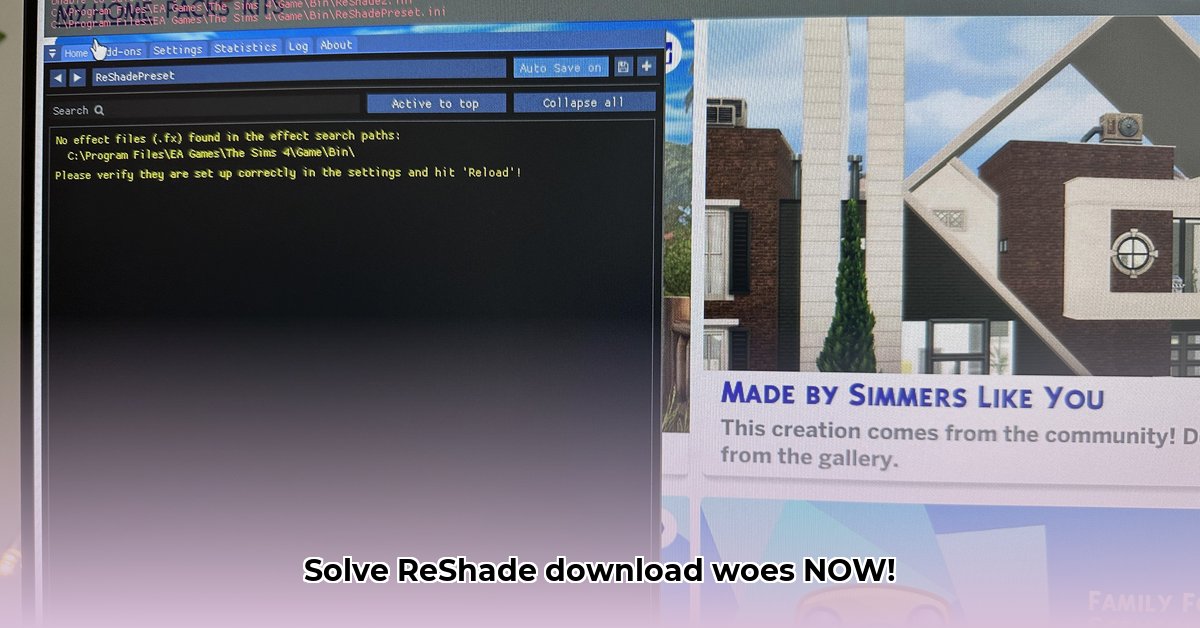
ReShade Download Not Working: A Troubleshooting Guide
Encountering issues downloading or installing ReShade? This comprehensive guide will help you resolve common problems, whether you're a seasoned modder or a newcomer to the world of enhanced graphics. We'll cover the most frequent causes of ReShade download failures and provide practical, step-by-step solutions to get you back to enjoying those stunning visuals.
Why Isn't My ReShade Download Working?
Before diving into fixes, let's pinpoint the exact issue. Is the download failing, or is the installation process encountering problems? Here's a breakdown of common scenarios:
1. Download Stagnation: The download progress bar remains stubbornly still.
Possible Causes: The ReShade website may be experiencing temporary downtime, high traffic, or technical difficulties. Your internet connection might be slow or interrupted. Browser problems are also possible.
Solutions: Check the official ReShade website for announcements. Restart your router and modem. See if you can download other files from different websites to rule out broader internet problems. Try a different web browser (e.g., switch from Chrome to Firefox).
2. Installer Refusal to Run: The downloaded ReShade installer doesn't launch or produces an error.
Possible Causes: Your antivirus or firewall might be blocking ReShade. The installer may require administrator privileges.
Solutions: Temporarily disable your antivirus and firewall. Once the installer runs successfully, re-enable them. If successful, this confirms your security software was the issue. If not, right-click the installer and select "Run as administrator".
3. Installation Errors: The installer appears to run, but fails or ReShade isn't functional in your game.
Possible Causes: Incorrect API (Application Programming Interface – DirectX, Vulkan, OpenGL) selection, game running during installation, missing prerequisites.
Solutions: Follow these steps:
- API Verification: Carefully select the correct API for your game. ReShade might auto-detect, but manual verification is recommended using the official ReShade compatibility list.
- Game Closure: Ensure your game is completely closed before installing ReShade.
- Installer Re-run: Re-run the installer, noting any error messages.
- DirectX Update: Ensure you have the latest DirectX runtime installed from the Microsoft website. DirectX is crucial for many games.
- Simple File Paths: Avoid complex file paths and folder names during installation. A simple location like "C:\ReShade" is recommended.
API Selection: Choosing the Right Communication Method
Selecting the correct API (DirectX, Vulkan, or OpenGL) is vital for ReShade to communicate effectively with your game and graphics card. This is a major source of errors – improper API selection will often prevent ReShade from working. Carefully review the official ReShade compatibility list for your specific game.
ReShade and Anti-Cheat Software: Potential Conflicts
Many online games incorporate anti-cheat software which may flag ReShade as a potential threat. This can result in crashes or even bans.
- Solutions:
- Older ReShade Version: Try a known-compatible older version.
- Temporary Disablement: Disable ReShade during online play.
- Game/Anti-Cheat Support: Consult the official support pages of both your game and anti-cheat software for guidance.
Performance Optimization: Balancing Visuals and Performance
ReShade's visual enhancements require additional processing power. This can lower your frame rate (FPS), leading to issues. To mitigate this:
- Shader Selection: Select shaders known for better performance.
- Shader Settings: Lower shader quality and intensity settings.
- Resolution Adjustment: Lowering your game's resolution can significantly improve performance.
Troubleshooting at a Glance: A Quick Reference Table
| Issue | Possible Causes | Solutions |
|---|---|---|
| Download Failure | Website issues, network problems, browser problems | Check website, internet connection, try a different browser |
| Installer Failure | Antivirus/firewall blockage, insufficient permissions | Disable security (temporarily), run as administrator |
| Installation Errors | Incorrect API, game running, missing dependencies | Verify API, close game, install necessary components (e.g., DirectX) |
| Game Crashes | Shader incompatibility, configuration errors | Check ReShade logs, try different shaders, adjust settings |
| Visual Glitches | Shader settings, version mismatch, incorrect installation location | Adjust settings, update ReShade, check installation location, reinstall |
| ReShade Invisibility in Game | Incorrect game selection, API mismatch, installation errors | Verify game and API selection, review installation steps |
Remember, effective troubleshooting requires patience and systematic investigation. If problems persist, consult the ReShade forums for community assistance. Good luck and happy gaming!
⭐⭐⭐⭐☆ (4.8)
Download via Link 1
Download via Link 2
Last updated: Monday, April 28, 2025